Summarize using AI





Prompt copied. Paste it into Gemini.
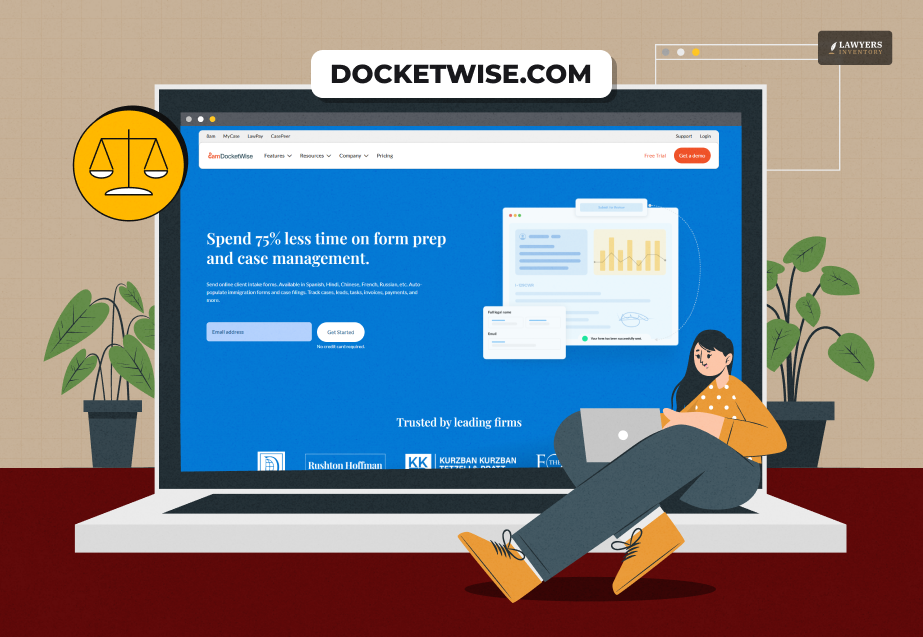
With a rating of 4.2 in Trustpilot, Docketwise is one of the most trusted case management solutions for immigration lawyers and law firms.
This platform helps to streamline operations such as data collection of the clients, case tracking, and invoicing.
Furthermore, this platform is very safe as professionals use the Amazon Simple Storage Service (Amazon S3) for encryption.
Also, DocketWise has an indigenous form library so that lawyers can access humanitarian, family, or business immigration forms based on specific requirements.
It even allows the collection of client information by using questionnaires in different languages.
Moreover, it makes assigning tasks among various team members and setting up deadlines and reminders easier.
Besides all these, this platform allows immigration lawyers to share client invoices and send automated payment reminders. So, the payment collection process also becomes easier.
In addition, lawyers can easily use this platform on a monthly subscription basis. So, let’s find out more about its features, specifications, pricing, benefits, and more.
How Does Docketwise Work?
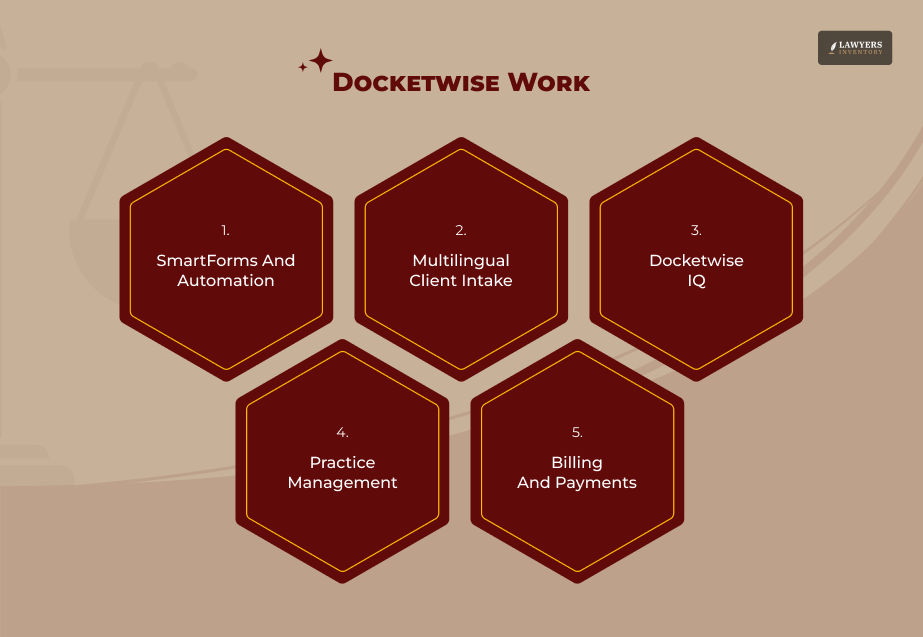
Docketwise makes the document-heavy immigration process easier. It is an all-inclusive platform for immigration case management, and it has versatile functions.
1. SmartForms And Automation
Lawyers using Docketwise do not have to type the same information in countless government forms across all government forms.
They just need to do the client data input once. Then, the software will auto-fill and update all corresponding immigration forms.
Thanks to this dynamic system, lawyers can eliminate repetitive data entry and reduce human error to a great extent.
2. Multilingual Client Intake
Clients can access the questionnaire in different languages, and they can fill out the fields securely.
Furthermore, they can upload supporting documents through a safe and mobile-friendly client portal.
3. Docketwise IQ
The cloud-based case management platform comes with AI integration to auto-extract critical information from identification documents such as green cards, passports, and I-94s.
Then, it facilitates the population of the same information into the SmartForms without manual typing.
Furthermore, thanks to the AI tool, it can help translate messages and auto-draft client communications.
4. Practice Management
Docketwise has in-built tools to manage daily firm operations such as task assignments, appointment scheduling, and deadline tracking through customized dashboards.
5. Billing And Payments
Firms can handle invoicing directly within the platform and easily process payments through legal-specific integrations like LawPay.
Docketwise Company Details
| Brand Name | Docketwise |
| Foundation Year | 2016 |
| Directors and Founders | James Pittman and Jeremy Peskin |
| Function | Immigration Case Management Platform for Modern Law Firms |
| Company Size | 1-100 Employees |
Docketwise Software Specifications
| Compatible Operating Systems | • Ubuntu • Windows • MacOS • Linux |
| Compatible Devices | • Mobile • Tablet • iPad • Laptop |
| Deployment | Web-Based |
| Suitable for | Law Firms |
| Customer Support | • Email • Community Conversation |
| Resources | • Blogs • Webinars • Customer Stories • Newsrooms • Reports |
Docketwise Pricing: How Much Will You Pay For This Case Management System?
You have three options if you are exploring the Docketwise pricing plans.
| Docketwise Pricing Plans | Costs (Per Month) |
| Basic Plans | $69 |
| Pro Plans | $99 |
| Advanced Plans | $119 |
Furthermore, when you sign up from the Docketwise sign-up page, you will get a 7-day free trial benefit.
What Are The Features Of The Docketwise Platform?
From Smart Forms to Smart Case Tracking, Docketwise has many unique features.
1. Smart Forms
I have already covered this feature of Docketwise. The Smart Forms integrate multiple government forms into a single questionnaire format.
So, the clients and lawyers can fill in the details easily and without inconsistencies.
2. Translations
Primarily available in the English language, the questionnaire of the Docketwise platform can be translated into the following languages.
- Portuguese
- French
- Arabic
- Russian
- Chinese
- Hindi, etc.
This multilingual feature makes the platform more accessible for the clients of an immigration law firm.
3. Tasks
This is something very crucial because every case has a due date, and the Docketwise platform helps set due dates for different case-specific tasks.
4. Invoices
As mentioned, lawyers can send invoices to the clients and then set reminders for the timely collection of the charges.
5. SMS Text Messaging
This all-inclusive platform allows lawyers to send messages and emails to clients simultaneously through an automated process.
6. Case Tracking
After getting updates from USCIS, a lawyer can make notes for government meetings, phone calls, and actions.
What Are The Benefits Of The Docketwise Platform?
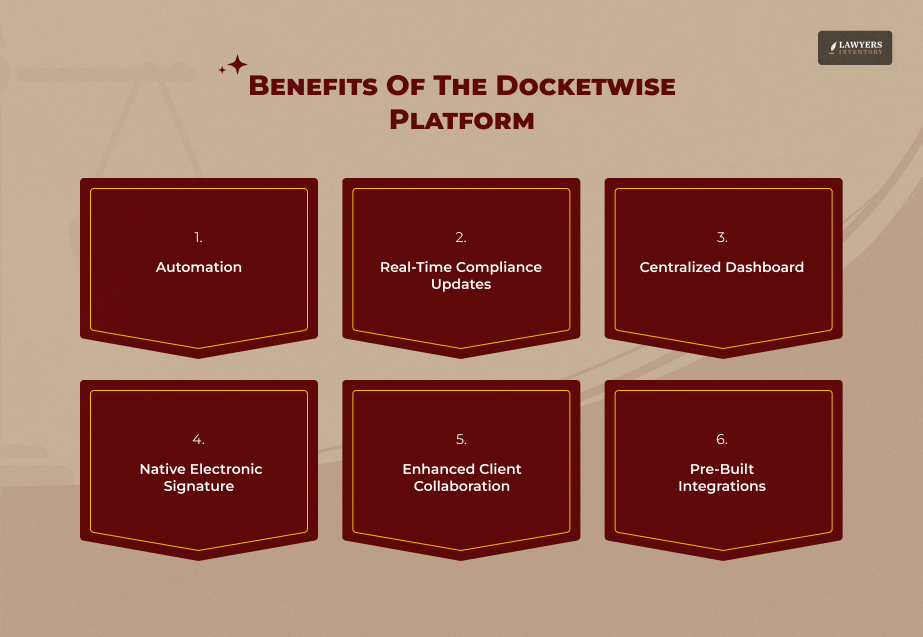
From improving daily workflows to ensuring seamless connectivity, Docketwise is a beneficial platform for immigration law firms.
Overall, the benefits of the Docketwise platform are improving the core operational efficiencies daily.
1. Automation
Docketwise, with its Smart Forms feature, populates USCIS, DOJ, and DOS government forms using a single data set. So, there will be a complete elimination of repetitive typing.
2. Real-Time Compliance Updates
Docketwise updates its form library extensively and regularly. So, the lawyers or law firms using the platform can stay assured that their members will never have access to fill out an outdated form.
3. Centralized Dashboard
The Docketwise dashboard is centralized. So, it manages different critical tasks such as case tracking metrics, invoices, and a native CRM pipeline within a single environment.
4. Native Electronic Signature
The Docketwise platform has a built-in e-signature tool. It helps clients to sign retainer agreements and immigration forms digitally from any location.
5. Enhanced Client Collaboration
Docketwise has a centralized and secure client portal where clients can complete their custom intakes, safely upload personal files, and message legal teams.
Furthermore, the platform allows lawyers to create a mobile-friendly space.
Moreover, with increased transparent tracking, lawyers can see exactly where their case stands, which reduces the repetitive “status update” phone calls to the lawyer’s office.
6. Pre-Built Integrations
The Docketwise platform has synchronized fluidity with LawPay and common legal tools.
Thus, it stands out with compliance-based accounting and external communication suites like Case Status.
Why Choose The Docketwise Platform?
As the makers claim, Docketwise has helped more than 7000 law firms and over 15000 legal practitioners.
In addition, it can save 6 hours on average on the daily operations of a law firm.
Furthermore, after a careful observation of the best features and benefits of the Docketwise Platform, it can be said that the platform is ideal for ensuring better accuracy and better coordination with the clients regarding case management.
Also, the platform functions as an integrated space where payments, status dates, and multilingual intake happen together.
Docketwise Integrations
The Docketwise integrations are:
- Zapier
- Clio
- Google Calendar
- Microsoft Outlook
- Gmail
- 8am LawPay
- Mailchimp
- PracticePanther Legal Software.
What Are The Alternatives To Docketwise Case Management Platform?
Clio and 8am MyCase are the popular alternatives to the Docketwise legal case management platform.
| Feature | Docketwise | Clio Manage | 8am MyCase |
| Primary Focus | Immigration Case and Form Management | Comprehensive Legal Practice Management | Small-Firm Legal Practice Management |
| Form Automation | Over 150 Automated and Updated Forms and Smart Questionnaires | Limited Built-in Forms with Add-On or Integration Requirements | Basic Legal Templates or Forms |
| Billing and Trust Accounting | • Standard Billing Features • Time Tracking • LawPay Integration | • Highly Customized • Contingency, Flat, Hourly Billing • Trust Accounting • Integrated Clio Payments | • Streamlined and Out-of-the-Box Billing • Trust Accounting • Online Payments |
| Client Portal | • Intake Sharing • Secure Messaging | • Secure Messaging • Payments • Document Sharing | • Robust 2-Way Texting • Document Sharing • Client Intake |
| Integrations | Moderate Integrations: • Zapier • Gmail • QuickBooks | Extensive and Over 200 Third-Party Integrations • Zapier • Xero • Outlook | Focused Integrations: • Outlook • QuickBooks |
| Starting Price | Starts at $69 Per Month | Starts at $49 Per Month | Starts at $49 Per Month (Billed Annually) |
How To Do Docketwise Login?
Docketwise sign in is an easy process. First, you need to visit the Docketwise log in page, then enter your registered email address and password to use the platform.
Furthermore, for your security, you must opt for Multi-Factor Authentication (MFA) for your first login.
That’s it! Do you use Docketwise for your law firm? Share your experience with us.
Leave A Reply







How Clio Legal Software Is Changing The Modern Law Firm
Read More
Strategic Criminal Defense Marketing For Modern Law Firm Growth
Read More

Law Firm SEO: The Key to Attracting More Clients and Growing Your Practice
Read More
The Impact of Mobile Search on PPC Strategies for Law Firms
Read More
0 Reply
No comments yet.